1. Find your pictures here.
Find more here.
Friday, October 19, 2007

Wednesday, October 10, 2007
Multiplication
Which game is more fun? Which one helps you learn your multiplication facts better?
Math Mayhem
or
Multiflyer
or
Asteroids?
Math Mayhem
or
Multiflyer
or
Asteroids?
Monday, October 8, 2007
Great Books VoiceThread
Our major task today is to find the pictures you need to make your VoiceThread.
First, see my example to see how your finished product should look like.
http://www.blogger.com/img/gl.link.gif
If you're ready to do your narration, you may do that now.
Images:
For your book cover, do a google search with the title of your book - make sure you're spelling it right. Choose the biggest image you can find.
To find an images, do a Creative Commons Flickr Search. These are photographs people have taken and have given others the permission to use. Save the websites so you can add attribution later.
Save images to your desktop.
For your own personal image, take your picture in Photo Booth (it's in your applications folder), then go to to make a cartoon image of yourself.
First, see my example to see how your finished product should look like.
http://www.blogger.com/img/gl.link.gif
If you're ready to do your narration, you may do that now.
Images:
For your book cover, do a google search with the title of your book - make sure you're spelling it right. Choose the biggest image you can find.
To find an images, do a Creative Commons Flickr Search. These are photographs people have taken and have given others the permission to use. Save the websites so you can add attribution later.
Save images to your desktop.
For your own personal image, take your picture in Photo Booth (it's in your applications folder), then go to to make a cartoon image of yourself.
Friday, October 5, 2007
Wednesday, October 3, 2007
Wednesday, September 26, 2007
Blog Post about Books
A blog is not only about the important events in your life, it is also about the important things you've learned and are thinking about.
Today you're going to make an entry about a book. As a special added bonus, you're also going to learn how to add an image in a blog entry.
(1) First download the image of the book you wrote about. (To download it, control-click or right click the cover and choose Save Image As and save it to your desktop.)
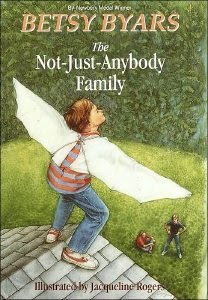
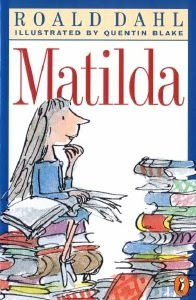
(2) Now go to your blog, sign in and start typing in your post. When you're done, then follow the directions on your handout to add the image into your post.
If for some reason you can't get into your blog, open Word and type it in there. We'll transfer it next week.
Today you're going to make an entry about a book. As a special added bonus, you're also going to learn how to add an image in a blog entry.
(1) First download the image of the book you wrote about. (To download it, control-click or right click the cover and choose Save Image As and save it to your desktop.)


(2) Now go to your blog, sign in and start typing in your post. When you're done, then follow the directions on your handout to add the image into your post.
If for some reason you can't get into your blog, open Word and type it in there. We'll transfer it next week.
Wednesday, September 5, 2007
Subscribe to:
Posts (Atom)